

Dashboard: Widgets & Weather
Transform your iPad or iPhone into a beautiful, personalized smart desk display. Weather, calendar, health, pomodoro, smart home control, and more—all at a single glance.

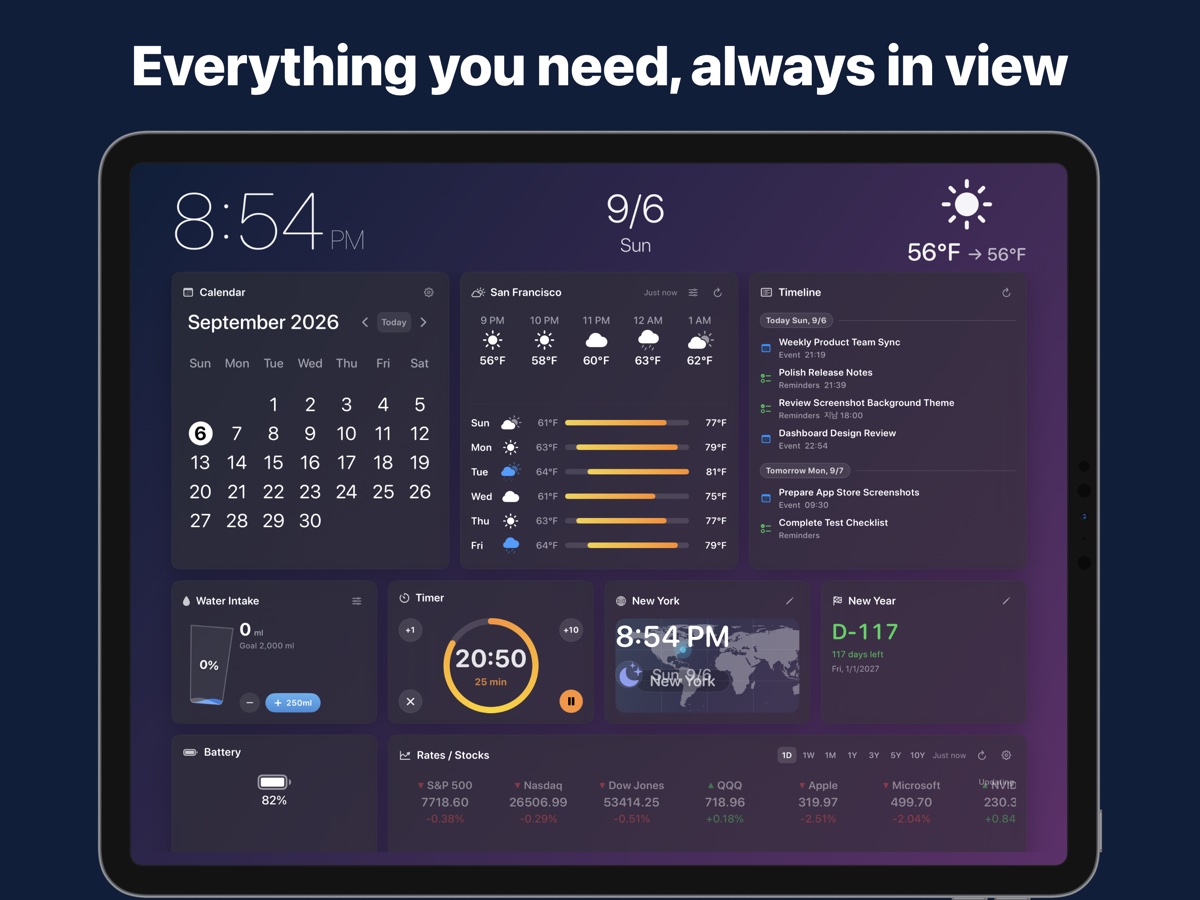
Everything You Need, Beautifully Arranged
Whether placed on your office desk, kitchen counter, or mounted on your wall, Dashboard delivers real-time information with sleek aesthetics.
Real-Time Weather
Powered by Apple WeatherKit. Real-time temperature, condition, precipitation probability, and hourly forecasts with fluid animated icons.
Calendar & Schedule
Syncs seamlessly with your Apple Calendar. View today’s agenda, upcoming meetings, and visual month-view calendar at a glance.
Apple Health Activity Rings
Keep track of your Move, Exercise, and Stand goals right from your desk without picking up your Apple Watch or iPhone.
Pomodoro & Habit Tracker
Stay productive with a visual 25-minute focus timer and track your daily streaks using the intuitive 7-day habit dot matrix.
Apple Home & Quick Tools
One-tap toggle for smart lights and switches via Apple HomeKit. Includes handy Unit Converter, Calculator, Stopwatch, and World Clock.
Unlimited Pages & Themes
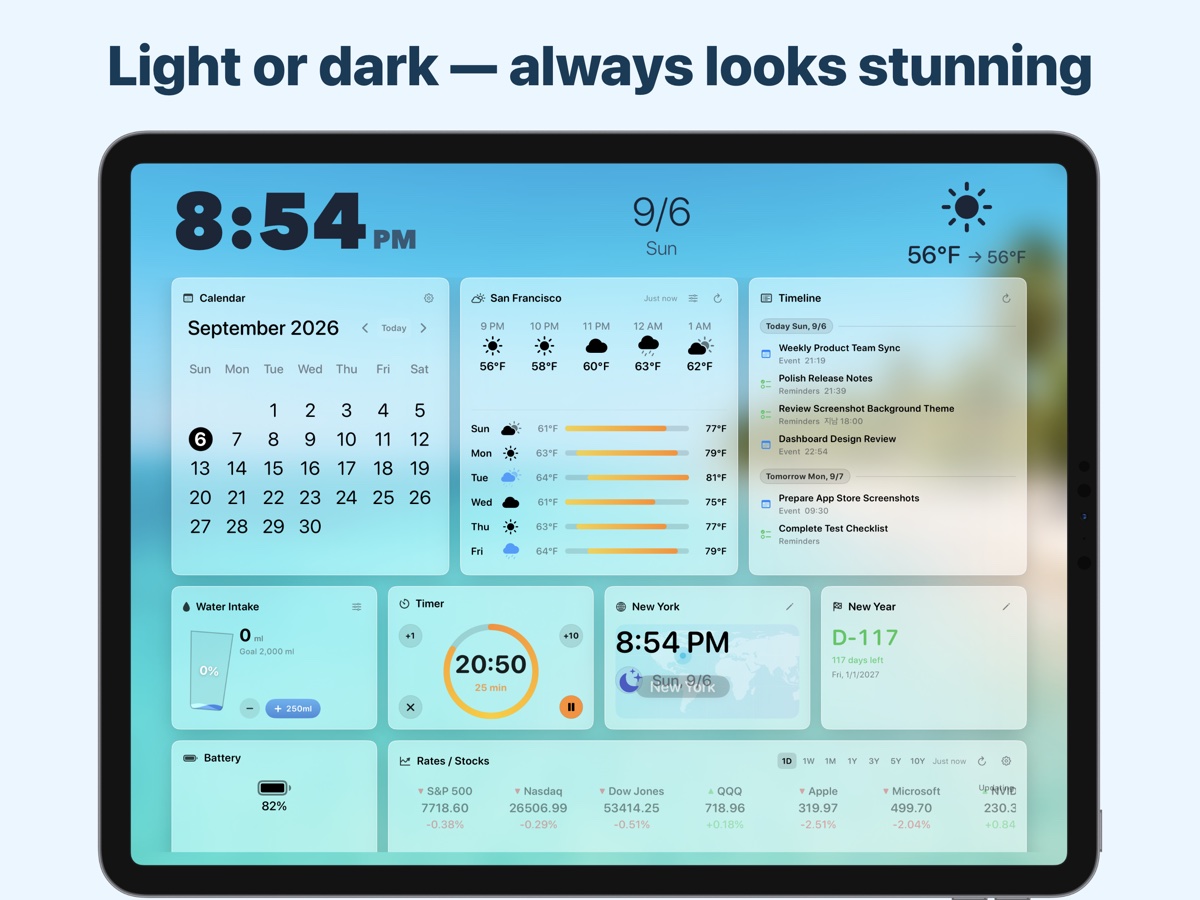
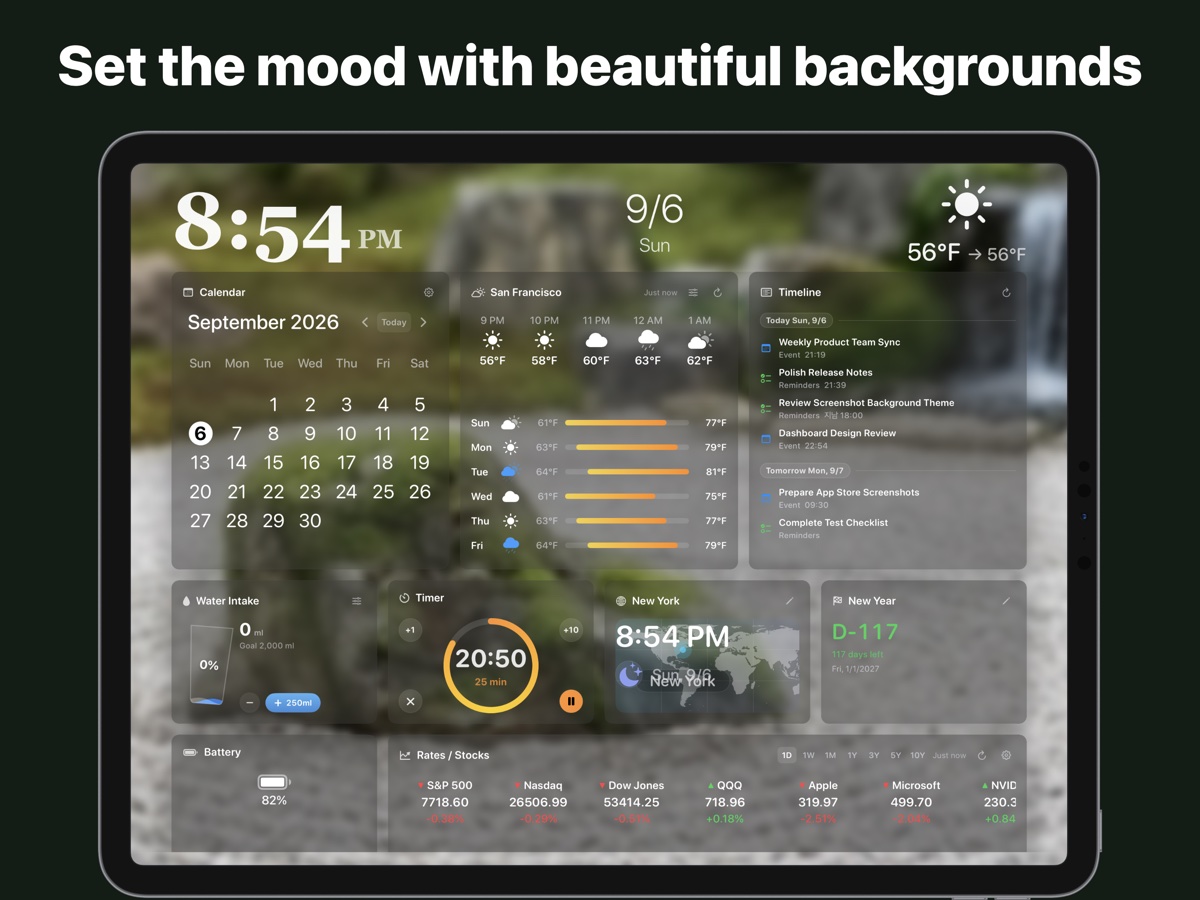
Create unlimited custom pages (1 page in Free, unlimited in Pro). Use your personal photos or preset artistic wallpapers (Beach, Zen, Tulips), and drag-and-drop widgets anywhere.
Built for Continuous Display
Engineered specifically for iPad and iPhone users who leave their device on stands 24/7.
🛡️ OLED Burn-in Protection
Subtly shifts widget elements by a few pixels over time to prevent burn-in on OLED displays (iPhone & iPad Pro) while remaining invisible to the eye.
🔒 Guided Access Compatible
Pin Dashboard to your device for showroom, retail, front desk, or shared family environments. Keeps accidental taps from leaving the app.
💡 Always-On Tip
Set Auto-Lock to “Never” in iOS Settings to enjoy a permanent smart ambient clock and information center on your desk.
Visual Showcase
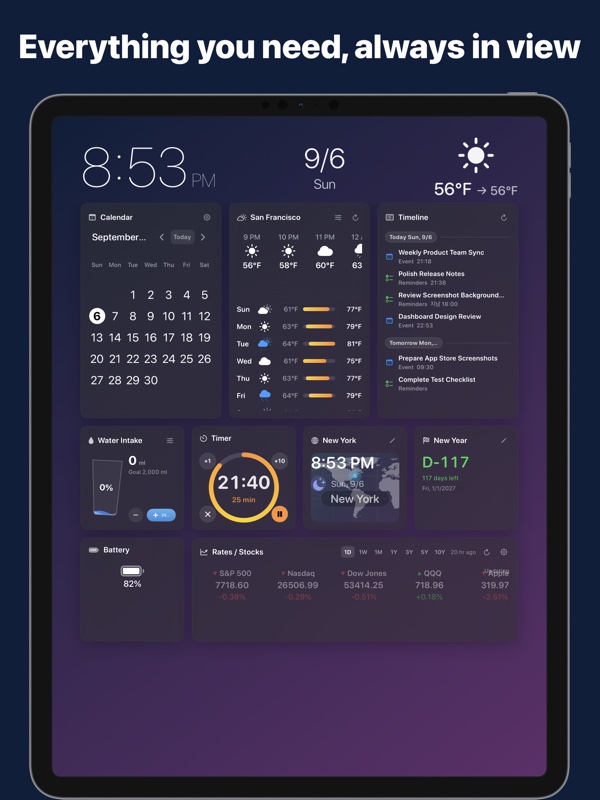
Explore beautiful preset themes and responsive layouts designed for both Landscape and Portrait orientations.
Simple, Honest Pricing
Enjoy essential dashboard features for free, or unlock the ultimate customization with Dashboard Pro.
Standard
- ✔ Full dashboard widget suite
- ✔ 1 dedicated customizable page
- ✔ Calendar & Health sync
- ✔ OLED Protection Mode
- ✔ Auto periodic weather updates (every 24h)
- ✔ Ad-supported
Dashboard Pro
- ✔ Everything in Free
- ✔ 100% Ad-Free Experience
- ✔ Unlimited Pages Creation
- ✔ Instant Manual Weather Refresh (Anytime)
- ✔ Auto Periodic Weather Updates (Every 6h)
- ✔ Custom Photo Backgrounds & Themes
- ✔ Priority Feature Support
Customer Support & FAQ
Have a question or need assistance with Dashboard? We are here to help you get the most out of your experience.
Open iOS Settings > Display & Brightness > Auto-Lock, and select “Never”. This ensures Dashboard stays active continuously on your desk or dock.
In the Free version, weather forecasts refresh automatically once every 24 hours. Upgrading to Dashboard Pro provides automatic background updates every 6 hours and, most importantly, allows you to manually refresh the weather instantly at any time with a single tap so you always have immediate, real-time Apple WeatherKit data on demand.
The Free version includes 1 fully customizable dashboard page. Upgrading to Dashboard Pro unlocks unlimited pages, allowing you to organize dedicated layouts for work, morning routines, health tracking, relaxation, and more.
When enabled in Settings, the app imperceptibly shifts widget coordinates every few minutes. This prevents static elements from burning into OLED panels (found on newer iPhones and iPad Pro models) during long continuous display sessions.
Simply open Dashboard Settings on your device and tap “Restore Purchases”. As long as you are signed in with the same Apple ID, your Pro status will be instantly unlocked with no additional charge.
Need Direct Help or Want to Suggest a Feature?
Our team values your feedback and responds promptly to support inquiries.
Privacy Policy
Mapletree Apps (“we”, “our”, or “us”) is dedicated to protecting your privacy. This Privacy Policy explains our practices regarding data collection and usage for the Dashboard: Widgets & Weather application.
1. Zero Personal Data Collection
Dashboard does not collect, store, transmit, or sell any personal identifiable information (PII). We do not operate user accounts, profile tracking, or remote analytics databases.
2. On-Device Data Processing
The app integrates with various Apple device capabilities solely to display relevant information to you:
- Calendar & Reminders: Accessed strictly with your explicit iOS permission solely to render your upcoming events on screen. Your events are never sent off your device.
- Apple Health (HealthKit): Activity rings (Move, Exercise, Stand) are read directly on-device. Health data is never transmitted, exported, or shared.
- HomeKit: Smart accessory states are accessed exclusively through Apple’s secure HomeKit framework to enable local controls.
- Location: Used temporarily and solely to query local weather forecasts from Apple WeatherKit. Your precise location history is never stored or tracked.
3. Third-Party Services
The app utilizes the following trusted third-party services:
- Apple WeatherKit: Used to provide accurate weather forecasts based on your device’s approximate coordinates under Apple’s stringent Privacy Guidelines.
- Google AdMob: The free version displays advertisements. AdMob may utilize non-personal, anonymous device identifiers to serve ads in accordance with Google’s Privacy Policy. Pro users enjoy a 100% ad-free experience.
- Apple In-App Purchases: All transactions for Dashboard Pro are processed directly by Apple via your Apple ID. We never have access to your payment or credit card details.
4. Contact Us
If you have any questions or concerns regarding this Privacy Policy, please reach out to us via our official contact page at https://imapletree.com/contact/.
Make Every Glance Count
Upgrade your workspace with the most elegant smart display dashboard for iOS and iPadOS.